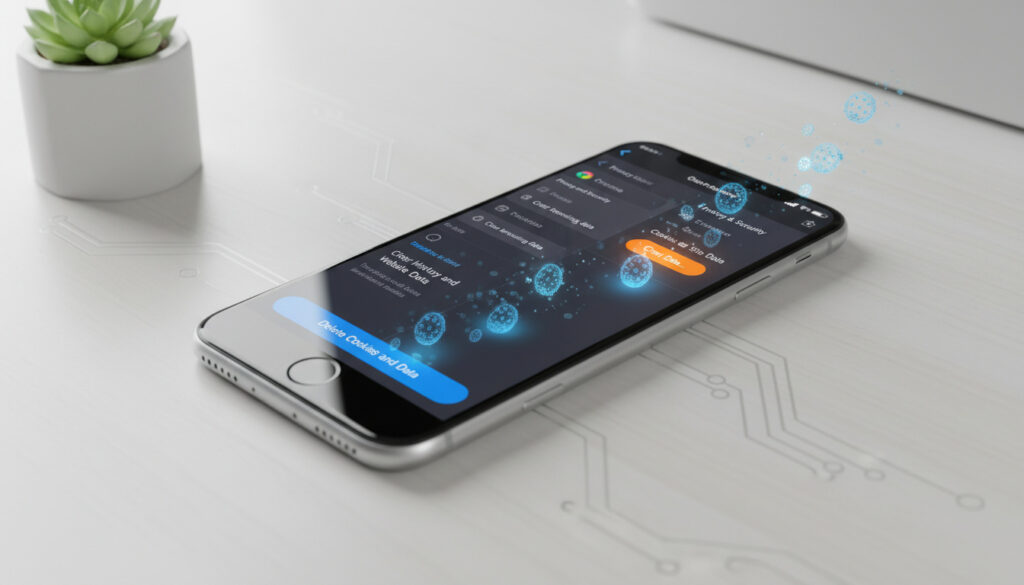
How to Delete Cookies on iPhone – Safari, Chrome, Firefox Steps
Cookie accumulation on iPhones creates detailed profiles of browsing habits, login states, and site preferences. Removing these data files periodically restores privacy and can resolve loading errors on stubborn websites.
Safari handles the majority of mobile browsing traffic, though Chrome and Firefox maintain significant user bases with distinct data architectures. Each browser requires specific navigation paths to reach deletion controls, with procedures varying slightly between iOS 17 and earlier releases.
Procedures vary significantly between Safari, Chrome, and Firefox. Safari routes cookie management through iOS system settings, while third-party browsers maintain internal controls. Consequences range from authentication resets to tracking prevention, requiring users to balance privacy against convenience.
How to Delete Cookies in Safari on iPhone
Safari stores cookies within the system Settings application rather than the browser interface itself. According to Apple Support, users access these controls through the Apps section in iOS 17 and later releases.
Settings > Apps > Safari > Clear History and Website Data
Advanced > Website Data > Swipe individual sites
Safari > Bookmarks > “Aa” > Website Settings
1-2 minutes for full clearing
- Clearing history and data simultaneously removes cookies, cache, and browsing records
- The Website Data section permits surgical deletion of specific domains without affecting broader history
- iOS 17 reorganized these pathways under Settings > Apps rather than direct Safari menu access
- Grayed-out clear buttons indicate either empty data stores or Screen Time restrictions blocking modification
- Specific site deletion preserves login states on unaffected domains while targeting identified trackers
- Authentication tokens stored for “Keep me logged in” functionality vanish immediately upon deletion
| Attribute | Specification |
|---|---|
| Primary Path | Settings > Apps > Safari |
| iOS Range | iOS 12 through iOS 18 |
| Data Components | Cookies, cache, history, website data |
| Granular Control | Available via Advanced settings |
| Reversibility | Permanent; sites rebuild gradually |
| Restriction Impact | Screen Time can disable clearing |
Clearing Cookies in Other Browsers on iPhone (Chrome, Firefox)
Third-party browsers manage cookie storage independently of iOS system settings. Malwarebytes documentation confirms that Chrome and Firefox embed deletion controls within their respective application menus.
Google Chrome Procedure
Open Chrome and tap the three-dot menu at the bottom right. Select Settings, then Privacy, followed by Clear Browsing Data. Google Support indicates the default timeframe covers 15 minutes, though users may select custom durations extending back to the browser’s installation. Toggle the Cookies option and confirm deletion.
Unlike Safari, Chrome maintains its sandboxed storage container within the app bundle. This isolation prevents iOS system tools from accessing Chrome’s cookies directly, requiring users to manage data within the application itself. Chrome Help resources detail these privacy sandboxes.
Mozilla Firefox Steps
Access Firefox’s cookie controls through the three-line menu button. Navigate to Settings, then Data Management. Under Clear Private Data, ensure Cookies remains toggled on while disabling other data types if preferred. Video documentation demonstrates this selective deletion process. Tap Clear Private Data to execute.
What Is a Chromebook – Features, Differences and Student Guide explores similar privacy mechanisms on alternative operating systems, though iPhone users remain within Apple’s ecosystem constraints.
What Happens When You Delete Cookies on iPhone?
Authentication Disruption
Apple’s technical documentation confirms that clearing website data removes login information stored for faster browsing. Users must re-enter credentials on all previously authenticated sites, including banking portals, social media platforms, and retail accounts. Two-factor authentication states typically reset, requiring full security verification cycles.
Privacy and Tracking Implications
Cookie deletion severs the connection between the device and advertising profiles. Tracking pixels and third-party monitoring scripts lose their persistent identifiers, forcing data brokers to rebuild user profiles from scratch. Personalized advertising experiences reset to generic demographic targeting.
Shopping carts empty immediately upon cookie removal. Site preferences, including accessibility settings and language choices, revert to defaults. Autofill functionality for addresses and payment methods remains partially functional through iCloud Keychain, though website-specific form remembering disappears.
How to Block or Manage Cookies on iPhone
Preventive Blocking in Safari
Navigate to Settings > Apps > Safari > Advanced to locate the Block All Cookies toggle. Enabling this switch removes existing website data while preventing future storage. Apple’s privacy guides note that aggressive blocking may prevent some websites from functioning correctly, particularly those requiring session persistence for shopping or authentication.
Viewing Cookies Before Deletion
The Advanced > Website Data screen displays storage usage per domain. Swipe left on individual entries to delete specific trackers while preserving others. Data size indicators reveal which sites maintain the most extensive tracking profiles, often disproportionate to actual user engagement.
Third-party cookies and tracking cookies are particularly important for privacy. Clearing website data specifically removes data used for tracking purposes while also clearing login information stored by websites. Apple’s security documentation distinguishes between first-party functionality cookies and cross-site tracking mechanisms.
How Has iPhone Cookie Management Changed Across iOS Versions?
- : Introduction of granular website data management, allowing specific site deletion rather than all-or-nothing clearing
- : Enhanced privacy reports introduced, visualizing cross-site tracking attempts and cookie placement frequency
- : Advanced tracking prevention became default, limiting third-party cookie lifespan even without manual deletion
- : Settings menu reorganization moved Safari controls under the Apps section while preserving functionality
- : Continued refinement of cookie blocking interfaces with maintained support for legacy clearing methods
What Is Certain About iPhone Cookie Deletion?
| Established Facts | Uncertain or Variable Elements |
|---|---|
| Deletion permanently removes authentication tokens stored locally | Whether iCloud synchronizes cookie deletion across linked devices remains unspecified in public documentation |
| iOS stores cookies within protected app containers inaccessible to other applications | Exact duration before automatic cookie expiration varies by website configuration |
| Screen Time restrictions can disable clearing capabilities entirely | Progressive Web App behavior after cookie deletion depends on individual developer implementation |
| Third-party browsers maintain separate storage systems from Safari | Recovery possibilities using forensic tools after immediate deletion are not publicly confirmed |
Why Does Cookie Management Matter on Mobile Devices?
Mobile cookies carry heightened tracking potential due to constant location data and persistent internet connectivity. iPhone privacy features, including Intelligent Tracking Prevention, attempt to limit this surveillance, though manual deletion remains necessary for complete data hygiene. The compact storage constraints of mobile devices also make cookie accumulation a performance concern, particularly on older hardware with limited cache allocation.
Apple Trade In UK – Guide to Values, Process and Eligibility emphasizes device maintenance as part of resale preparation, including data clearing procedures that protect personal information during ownership transfer.
What Do Official Sources Say About iPhone Cookie Deletion?
Clear history, data from Safari. This method clears data used for tracking and by websites to save login information, which enables faster browsing on future visits.
— Apple Support
Apple Developer documentation provides technical specifications regarding SafariServices frameworks and cookie handling protocols for third-party applications accessing web content.
How Should Users Approach iPhone Cookie Maintenance?
Regular cookie deletion through Settings > Apps > Safari > Clear History and Website Data provides the most comprehensive privacy reset for Safari users, while Chrome and Firefox require in-app navigation to their respective privacy menus. Blocking cookies prevents future tracking but disrupts site functionality; selective deletion via Advanced settings offers a middle path. Users should synchronize this maintenance with password manager updates to minimize authentication friction.
Common Questions About iPhone Cookie Management
How to delete cookies without clearing history iPhone?
Navigate to Settings > Apps > Safari > Advanced > Website Data. Remove specific sites individually rather than using the Clear History option. This preserves browsing records while eliminating tracking data.
Can I view cookies before deleting on iPhone?
Yes. The Advanced > Website Data screen lists all stored cookies with storage sizes. Review this list to identify which domains maintain tracking profiles before selecting specific entries for deletion.
Does deleting cookies log me out on iPhone?
Yes. Clearing cookies removes authentication tokens and session identifiers. All previously logged-in websites require credential re-entry, including multi-factor authentication verification.
How to manage third-party cookies iPhone?
Enable Block All Cookies in Settings > Apps > Safari > Advanced to prevent third-party tracking. Alternatively, use Private Browsing mode for temporary sessions that discard cookies upon tab closure.
How to clear cookies on iPhone iOS 17?
iOS 17 relocated Safari settings under Settings > Apps > Safari. From there, tap Clear History and Website Data, or access Advanced > Website Data for selective deletion.
Where are cookies stored on iPhone?
Safari cookies reside in protected system storage accessible through Settings. Third-party browsers store cookies within their individual app containers, isolated from system settings and other applications.
How to delete cookies on iPhone Firefox?
Open Firefox, tap the menu button, select Settings > Data Management. Toggle Cookies under Clear Private Data, disable other options if preferred, then confirm deletion.
More related posts
 Badminton Horse Trials 2025: Dates, Results & How to Watch
 UK Size 6 in EU: Shoes & Clothing Charts
 Best Horror Movies 2025 – Top Rated and Highest Grossing
 Apple Trade In UK – Guide to Values, Process and Eligibility
 Audrey Hobert: Age, Siblings, Family, and Career Facts
 Things to Do in Bath: Top Attractions & Itineraries
 Eid ul Fitr 2026: Dates, Confirmation, and Why They Vary
 110 kg in Stone: Convert 110 Kilograms to Stone and Pounds
