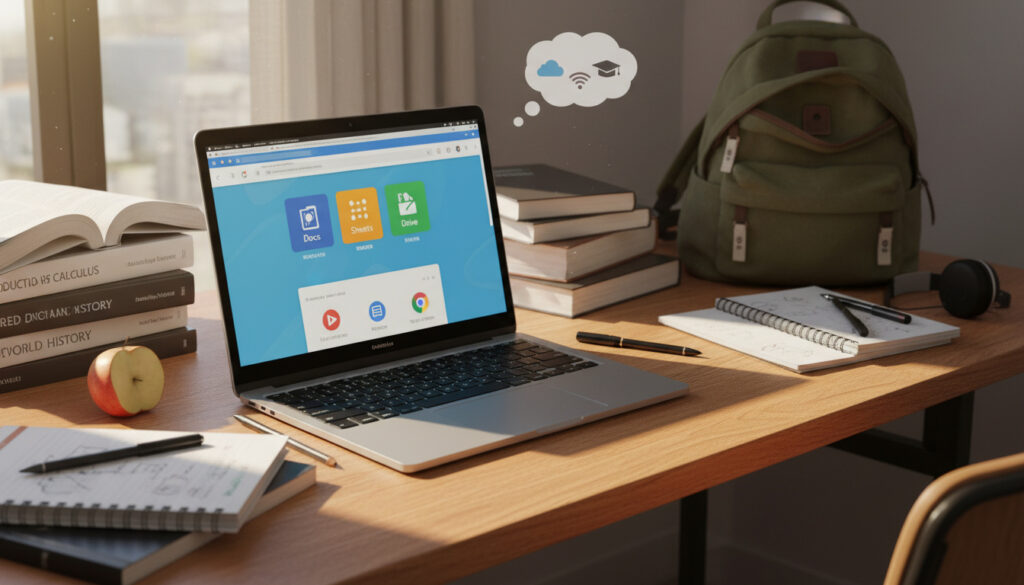
What Is a Chromebook – Features, Differences and Student Guide
A Chromebook is a laptop that runs Chrome OS, Google’s lightweight operating system designed primarily for web-based applications, cloud storage, and Android apps. Unlike traditional computers that rely heavily on local storage and installed desktop software, these devices emphasize speed, affordability, and extended battery life over heavy processing capabilities.
Originally positioned as secondary machines for internet browsing, Chromebooks have evolved into primary computing devices for millions of users, particularly within educational environments. The operating system boots within seconds and maintains tight integration with Google’s suite of productivity tools, though this cloud-centric approach brings distinct limitations alongside its benefits.
Understanding whether a Chromebook suits specific needs requires examining its architectural foundations, performance characteristics, and compatibility constraints compared to conventional laptops.
What Is a Chromebook?
At its core, a Chromebook functions as a portable computer built around Google’s Chrome OS. The hardware resembles conventional laptops, featuring keyboards, trackpads, and displays typically ranging from 11 to 15 inches, yet the software ecosystem differs fundamentally from Windows or macOS counterparts.
Chrome OS Foundation
Runs Google’s lightweight operating system optimized for web browsing and seamless integration with cloud services.
Cloud-First Design
Prioritizes Google Drive integration with minimal local storage requirements, typically 64GB or less.
Price Accessibility
Entry-level models typically range from $200 to $500, making them accessible to budget-conscious buyers.
Extended Support
Receives automatic security updates and feature enhancements for a decade from the manufacture date.
- Boots within seconds due to lightweight OS architecture and minimal background processes
- Battery life typically extends up to 10 hours on a single charge under normal usage
- Operates primarily through web applications, Google Workspace tools, and Android app compatibility
- Relies on cloud infrastructure rather than local storage for file management and application hosting
- Requires less RAM and processing power than Windows systems to achieve smooth performance
- Integrates automatic security patches without user intervention or system restart requirements
| Specification | Chromebook Typical | Traditional Laptop Typical |
|---|---|---|
| Operating System | Chrome OS | Windows/macOS |
| Price Range | $200–$600 | $500–$1500+ |
| Local Storage | Cloud + 64GB eMMC | 512GB+ SSD/HDD |
| Primary Applications | Web apps, Android apps | Native desktop software |
| Boot Time | Under 10 seconds | 30 seconds to minutes |
| Battery Duration | Up to 10 hours | 3–8 hours |
| Offline Capability | Limited to basic tasks | Full application support |
| Processor Requirements | Lightweight ARM/Intel | Multi-core Intel/AMD |
What Is the Difference Between a Chromebook and a Laptop?
The distinction between Chromebooks and traditional laptops extends beyond operating system preferences to fundamental architectural philosophies. While conventional portable computers function as self-contained powerhouses with extensive local resources, Chromebooks operate as terminals optimized for internet connectivity and remote processing.
Chromebook vs. Traditional Laptop
Chromebooks differ from Windows and macOS machines in their cloud-centric design, limited local storage configurations, and emphasis on web-based applications rather than full desktop software suites. According to Best Buy’s technical analysis, this architectural difference allows manufacturers to offer significantly lower price points while maintaining adequate performance for everyday computing tasks.
Performance characteristics favor different use cases. Chrome OS runs efficiently on minimal RAM, often performing faster on budget hardware than Windows equivalents. Comparative testing demonstrates that traditional laptops carry heavier background processes, resulting in slower boot times and reduced battery efficiency. However, when disconnected from internet access, Chromebooks offer only basic functionality through cached content, whereas conventional laptops maintain full software capabilities regardless of connectivity.
Chromebooks rely primarily on cloud storage through Google Drive, with local capacities rarely exceeding 64GB. Users requiring extensive local file storage for video editing, large media libraries, or complex software installations should verify whether cloud-dependent workflows align with their operational needs before purchasing.
Chromebook vs. iPad
Direct comparison data between Chromebooks and Apple’s iPad remains limited in current research. Video platform analysis indicates Chromebooks maintain advantages through integrated physical keyboards and multi-window desktop interfaces supporting simultaneous application usage. iPadOS emphasizes touch-first interaction and maintains superior native application availability in specific creative categories, though Chrome OS offers stronger optimization for web-based workflows and Google service integration.
What Can You Do on a Chromebook?
Modern Chromebooks support a range of activities centered on web-based productivity and media consumption. The platform accommodates document creation, email management, video streaming, and communication through browser-based tools and Android application compatibility.
Everyday Productivity and Web Applications
Primary functions include web browsing, streaming services, Google Workspace productivity (Docs, Sheets, and Slides), and email management. These devices suit writing papers, sharing files, and consuming YouTube content effectively. The integration with Google’s ecosystem allows automatic saving and synchronization across devices, eliminating manual backup requirements.
Users can access Microsoft Office functionality through web-based versions or Android applications available via the Google Play Store. Full desktop Office suites requiring advanced macros or specific Windows integrations remain unavailable without alternative virtualization solutions.
Android Applications and Gaming Limitations
Most contemporary Chromebooks support Android applications downloaded from the Google Play Store. This expands functionality to include mobile apps for banking, communication, and light gaming. However, gaming capabilities remain restricted to simple browser-based or Android titles. Hardware and operating system constraints prevent execution of demanding PC games designed for Windows platforms or requiring dedicated graphics processing.
Offline Functionality Constraints
While Chromebooks do not require constant connectivity to function, offline capabilities remain restricted. Basic functionality persists for certain Google applications and previously cached content, though complex tasks requiring real-time data processing become unavailable. This limitation contrasts sharply with traditional laptops that maintain full software functionality regardless of internet connectivity status.
Chromebooks cannot execute native Windows programs. Users dependent on specific desktop applications such as Adobe Photoshop, advanced video editing suites, or proprietary business software must seek web-based alternatives or utilize different hardware platforms entirely.
Are Chromebooks Good for Students?
Educational institutions have adopted Chromebooks extensively due to specific alignment with academic requirements and budget constraints. The devices address core student needs without the complexity and cost associated with full-featured laptops.
Educational Advantages
Analysis from Lenovo’s technical documentation identifies several factors driving student adoption: affordability allows institutions to deploy devices at scale, simplified interfaces reduce technical support demands, and physical portability supports mobile learning environments. Battery longevity exceeding typical school days eliminates mid-day charging requirements. Google Classroom and Docs integration streamlines assignment submission and collaborative editing for group projects.
These characteristics make Chromebooks ideal for basic schoolwork including research, writing, and presentation creation. Limitations emerge only when curricula require specialized software such as engineering applications, advanced statistical packages, or professional media production tools unavailable through web browsers or Android apps.
Affordability and Value
Cost represents a significant factor in educational adoption. Standard Chromebooks typically range from $200 to $500, with budget models starting at $300 or below. Market analysis attributes these lower prices to reduced hardware requirements—Chrome OS demands less processing power and storage than Windows—combined with reliance on cloud infrastructure rather than local components. For families managing travel budgets alongside technology purchases, comparing these costs with service efficiency tools like TUI Manage My Booking highlights the value of streamlined, cost-effective solutions.
This pricing structure makes Chromebooks accessible to families and school districts operating under strict technology budgets, though the total cost of ownership includes potential cloud storage subscriptions for users exceeding complimentary Google Drive allocations.
How Long Do Chromebooks Last?
Specific lifespan data for Chromebook hardware remains unestablished in available research. Technical assessments from telecommunications providers suggest durability comparable to budget-tier traditional laptops, with battery retention representing a particular strength due to the operating system’s energy efficiency and lower power consumption patterns.
Google provides clarity regarding software longevity rather than hardware failure rates. Chrome OS devices receive automatic updates for a decade from their manufacture date, ensuring security patches and feature additions long beyond typical support windows for budget Windows machines. This extended update commitment reduces obsolescence concerns, though physical components such as keyboards, hinges, and batteries remain subject to standard wear patterns associated with portable electronics.
- Manufacture Date Tracking: Support lifecycle calculation begins at production rather than purchase date, requiring buyers to verify manufacturing timestamps.
- Automatic Updates: Security patches and OS improvements deploy seamlessly without user intervention or restart requirements.
- Battery Efficiency: Lower power consumption reduces charge cycle degradation compared to high-performance laptops running intensive operating systems.
Established Facts and Persistent Uncertainties
Confirmed Capabilities
- Cannot execute native Windows applications without virtualization
- Receive 10-year automatic update guarantees from manufacture date
- Offer full integration with Google Workspace and Android ecosystems
- Boot within seconds using lightweight OS architecture
- Maintain 10-hour battery life under typical usage conditions
Uncertain or Variable Factors
- Exact hardware lifespan varies significantly by manufacturer quality
- Gaming performance depends on specific model specifications and Android compatibility
- Storage expansion limited to microSD cards or external USB solutions
- Offline functionality extent varies by individual application caching capabilities
The Evolution and Market Position of Chrome OS
Chromebooks emerged from Google’s initiative to create computing devices centered entirely on web technologies, launching initially in 2011 through partnerships with hardware manufacturers. The platform addressed a specific market gap for maintenance-free, secure machines requiring minimal local storage. Over subsequent years, the addition of Android application support and Linux development environments expanded capabilities while maintaining the core cloud-first philosophy.
The education sector currently dominates Chromebook deployment, with schools representing the highest concentration of users globally. This market position stems from the combination of low acquisition costs, simplified device management for IT administrators, and sufficient functionality for curriculum requirements. The straightforward purchasing experience parallels simplified retail innovations like Primark Click and Collect, emphasizing accessibility and efficiency.
Recent developments include artificial intelligence integration through Chrome OS updates, though specific enterprise security applications and advanced offline capabilities continue evolving. The platform remains distinctly positioned for users prioritizing connectivity, simplicity, and cost-effectiveness over localized processing power.
Attribution and Source Verification
Factual claims regarding Chromebook specifications derive from Google’s official technical support documentation, comparative hardware analysis from Lenovo’s technical glossary, and retail technology assessments. Video platform reviews provided additional usage context regarding real-world performance and gaming limitations. Telecommunications technical support documentation contributed insights regarding connectivity requirements and battery performance expectations.
Summary
Chromebooks offer distinct advantages for users prioritizing affordability, battery longevity, and web-based productivity over local processing power and specialized software compatibility. These devices serve educational environments and casual computing needs effectively, particularly for users already integrated into Google’s ecosystem. The 10-year update commitment provides extended value, contingent upon acceptance of cloud-dependent workflows, limited local storage, and inability to run native Windows applications.
Frequently Asked Questions
Can Chromebooks run Windows programs?
No. Chromebooks do not support native Windows software, relying instead on web applications and Android apps from the Google Play Store.
Do Chromebooks work without internet access?
Basic functionality remains available for cached content and specific Google applications, though capabilities are limited compared to full offline support on traditional laptops.
Can I use Microsoft Office on a Chromebook?
Yes, through web-based versions or Android applications. Full desktop Office suites require alternative solutions not natively supported.
Can I install Android apps on a Chromebook?
Most modern Chromebooks support Android applications downloaded from the Google Play Store, expanding available software options significantly.
Can you play games on a Chromebook?
Gaming is limited to simple browser-based or Android titles. Hardware and OS constraints prevent running demanding PC games designed for Windows.
Why are Chromebooks inexpensive compared to laptops?
Lower costs result from reduced hardware requirements, lightweight operating system efficiency, and reliance on cloud storage rather than expensive local components.
Are Chromebooks suitable for professional video editing?
No. Chromebooks are not ideal for heavy editing tasks or professional software requiring significant local processing power and storage capacity.
More related posts
 Ross Duffer: Age, Net Worth, Divorce & Stranger Things
 Nissan Qashqai for Sale in Ireland – Used Buying Guide
 Cast of We Live in Time – Full Cast, Crew and Key Details
 Robert Sheehan Movies and TV Shows: Full List and Career Highlights
 How Old Was The Queen When She Died – Age, Reign And Legacy Facts
 How to Make Cheesecake: Perfect Baked and No-Bake Recipes
 Paris Fashion Week 2025: Complete Guide for First-Time Attendees
 Cheese and Onion Pasty Recipe: Step-by-Step Guide
