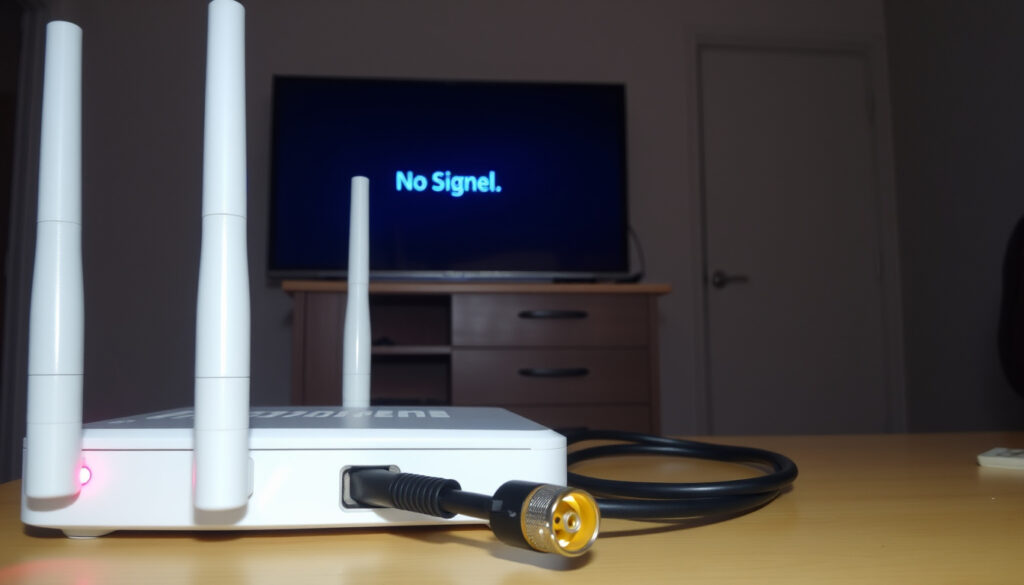
Is Virgin Media Down? Check Status & Fix No Internet or TV Signal
You’ve pressed play but the screen stays dark, or your laptop shows that dreaded “no internet” icon. When Virgin Media stops working, the first question is always: is it just me, or is everyone affected? This guide combines official Virgin Media Ireland tools with real-time reports from third‑party trackers so you can find out fast and get back online.
Official status page: virginmedia.ie/service-status ·
Real-time outage reports: Downdetector.ie/status/upc ·
Average outage duration: 2‑4 hours for widespread issues ·
Most common issue: No internet connection ·
Customer support number: 1800 940 094 (Ireland)
Quick snapshot
- Virgin Media has an official service status page that tests the cable into your home (Virgin Media Ireland Official Support)
- Downdetector provides crowd‑sourced real‑time reports on internet, TV, and phone issues (Downdetector.ie (third‑party outage tracker))
- Common causes include network maintenance, local faults, and equipment issues (Virgin Media Community (user forum & official blog))
- Exact cause of local outages may not be disclosed immediately (Outage.Report (crowd‑sourced service monitor))
- Resolution time for individual faults varies (IsTheServiceDown.co.uk (user‑reported outage tracker))
- No widespread outages detected by Virgin Media Ireland’s official status page as of latest check (Virgin Media Ireland Official Support)
- Third‑party sites show no current user‑reported problems across Ireland (Downdetector.ie outage map)
- Check the official status page for personalised updates using your account number (Virgin Media Ireland Official Support)
- Use the My Virgin Media app to receive local outage alerts (Virgin Media Community (official blog))
Six key facts, one pattern: the most reliable way to check is through official channels, but third‑party sites add instant crowd‑sourced context.
| Resource | What it gives you |
|---|---|
| Virgin Media Ireland website | virginmedia.ie |
| Service status page | virginmedia.ie/customer-support/support-by-topic/service-status/ |
| Downdetector page | downdetector.ie/status/upc |
| Twitter account | @virginmediaIE |
| Text message outage alerts | Introduced in 2019 for area outages (Virgin Media Ireland Business FAQs) |
| Account number required | 5‑8 digit numeric account number + area reference from bill (Virgin Media Community) |
| Estimated fix times | Official status shows “back online by 00:00 today” during outages (Virgin Media Ireland Official Support) |
Why is my Virgin Media not working?
Common causes of Virgin Media outages
Outages can spring from three main sources: planned network maintenance, a local fault on your street, or a problem with your own equipment. Virgin Media Ireland’s official status page is the first place to look — it tests the cable into your home and tells you if there’s a known issue in your area (Virgin Media Ireland Official Support (service status tool)).
If you see no outage on the status page but your internet or TV is still down, the problem may be on your side. The most common causes include:
- Loose or damaged cables
- Router or set‑top box needing a restart
- Unpaid bill or account suspension (rare, but check)
- Interference from a recent storm or construction work
According to reports on IsTheServiceDown.co.uk (user‑reported outage tracker), internet issues account for 58% of problems reported by Virgin Media customers, followed by Wi‑Fi (18%) and total blackout (11%).
How to identify if the issue is on your end
Try these quick checks:
- Plug a device directly into the router with an Ethernet cable. If it works, the problem is with Wi‑Fi.
- Restart your router and TV box by unplugging for 30 seconds.
- Check if other devices in the house are affected. If only one device is down, it’s not an outage.
The official Service Status tool can also restart your kit remotely — no need to call support (Virgin Media Community (official blog)).
How to check if Virgin Media is down in your area
Using the Virgin Media service status page
The most authoritative way is to visit Virgin Media Ireland’s official service status page. You’ll need your account number (5–8 digits) and your area reference code, both found in the top‑right corner of your bill. Once entered, the tool runs a real‑time test of the cable into your home and shows any known issues or planned maintenance in your area.
If there is a fault, the page displays an estimated fix time — for example, “back online by 00:00 today” (Virgin Media Ireland Official Support (estimated fix times)). You can also book or reschedule an engineer visit directly from this portal.
Using Downdetector for real-time reports
For a crowd‑sourced view, Downdetector.ie (real‑time outage aggregator) collects user reports on internet, TV, and phone issues. The site shows a live graph of reports over the last 24 hours and a map of where problems are concentrated. As of the latest check, no widespread Virgin Media issues are being flagged on the map (Downdetector.ie outage map).
Keep in mind that Downdetector relies on user submissions, so small local faults may not show up until several people report them. It’s a useful complement, not a definitive source.
Checking social media for outage updates
Virgin Media Ireland’s official Twitter account @virginmediaIE posts service alerts and responds to customer queries. A quick search for “virgin media down Dublin” or “virgin media outage” on Twitter often surfaces real‑time complaints from other users. Outage.Report (crowd‑sourced service monitor) also aggregates reports primarily from Dublin and shows the current status as “OK”.
What causes a sudden internet or TV outage?
Planned maintenance vs unplanned outages
Virgin Media often notifies customers about planned maintenance in advance — status page updates, email, or text messages (the text alert system launched in 2019, per Virgin Media Ireland Business FAQs (outage notifications)). Unplanned outages, by contrast, can hit without warning. Common triggers: a fibre cut during roadworks, a power surge at the local cabinet, or a software glitch in the network.
As the Virgin Media Community blog notes, “A full reset can resolve temporary glitches,” and the majority of “no signal” cases are fixed by a power cycle. (Virgin Media Community (official service tips))
Understanding the ‘massive internet outage’ phenomenon
Major internet outages affecting large regions often stem from undersea cable cuts or DNS provider failures. While rare in Ireland, they can knock out service for thousands simultaneously. The status page will immediately flag such events. Localised outages (affecting a street or estate) are more common and usually resolved within 2–4 hours.
TV signal loss: common reasons
A sudden “no signal” message on your Virgin TV could be caused by:
- Loose HDMI or coaxial cable
- Box overheating or needing a reboot
- Severe weather interfering with satellite or cable signal
- A fault in the street cabinet
If only one TV is affected, check the cables and try a full reset. If all TVs are down, it’s likely a wider issue (Virgin Media Community (troubleshooting guide)).
The pattern: most sudden outages have a mundane cause — a loose cable or a resetable box. The ones that don’t are usually fixed within a few hours. The exception is a massive network event, which is immediately visible on the status page.
What to do when your Virgin Media TV says ‘no signal’
Checking connections and cables
Start with the obvious: ensure the coaxial cable is screwed in tightly at both the wall and the box. The HDMI cable should be firmly seated. Try a different HDMI port. If the issue persists, test the TV with another device (like a streaming stick) to isolate whether the problem is the TV or the Virgin box.
Resetting your Virgin TV box
Unplug the power cord from the Virgin TV box, wait 30 seconds, and plug it back in. This clears temporary glitches. If you have a Horizon set‑top box (the standard model in Ireland), you can also perform a full reset from the settings menu: go to Settings > Device Settings > Reset > Reset to Factory Defaults. Note that this will erase recordings.
According to Downdetector’s real-time data, internet issues account for 58% of reported Virgin Media problems, while TV signal loss is a smaller but persistent category. (Downdetector.ie (real‑time outage aggregator))
When to contact support
If the reset doesn’t work and no outage is showing on the status page, call Virgin Media Ireland customer support at 1800 940 094. Have your account number and area reference ready. The agent can run a remote diagnostic or schedule an engineer visit. If multiple TVs are affected without a reported outage, it’s worth asking the agent to test the line from their end.
Is Virgin Media down right now in Ireland?
Using online outage maps
For a live snapshot, check Downdetector.ie’s outage map (real‑time map of user reports). It shows a heatmap of reported problems across Ireland, with pins indicating specific locations. As of the latest check, the map is clear — no problems flagged anywhere in the Republic or Northern Ireland.
Checking user reports on social media
Search Twitter/X for “virgin media down Ireland” or “virginmediaIE outage”. The official account @virginmediaIE (Virgin Media Ireland support channel) posts updates during widespread outages. Third‑party accounts like Outage.Report (outage monitoring aggregator) also show real‑time comments from affected users — mostly from Dublin, which is the largest user base.
What to do if no outage is reported but you have issues
If all sources show green but your service is still down, the problem is likely local: a fault in your street cabinet, a damaged cable, or an internal equipment failure. Use the official status page to run a personalised test. If that also shows no issues, call support. You may be in a small pocket that hasn’t been flagged yet.
The trade‑off: third‑party maps give you a sense of scale, but a quiet map doesn’t mean your service is fine. For a definitive answer, you need the official status check. When both are quiet, the fault is almost certainly inside your walls.
Summary: what to do when Virgin Media goes down
Your first move is always the official service status page — it’s the only tool that tests your specific connection. If that shows no issues, run a quick self‑check: restart both router and TV box, and verify whether other devices are affected. Only then turn to Downdetector or social media for crowd‑sourced reassurance. If none of these point to an outage, call Virgin Media Ireland on 1800 940 094 with your account number in hand. For households in Ireland, the decision is clear: five minutes of systematic checking can save you an hour on hold — and often confirm the problem isn’t yours to solve.
Related reading: Downdetector.ie Virgin Media Outage Map · Virgin Media Ireland Official Service Status
For real-time updates on service interruptions, check the live UK status and maps to see if your area is affected.
Frequently asked questions
How do I reset my Virgin Media router?
Unplug the power cord from the router, wait 30 seconds, then plug it back in. Wait up to five minutes for the lights to stabilise. If that doesn’t work, press the reset pinhole button on the back with a paperclip for 10 seconds.
What is the Virgin Media customer support number?
For residential customers in Ireland, call 1800 940 094. Business customers have a dedicated line available on the Virgin Media Ireland business support page.
How can I check my internet speed?
Use a wired connection to a speed test site like speedtest.net. Virgin Media Ireland’s own speed test is also available on the official support pages. Wired results are most accurate; Wi‑Fi can vary due to interference.
Does Virgin Media offer compensation for outages?
Virgin Media Ireland’s compensation policy typically applies if your service is down for more than 48 consecutive hours. You’ll need to claim through customer support. Smaller outages are usually not compensated but may be credited at the company’s discretion.
How do I report an outage to Virgin Media?
You can report an outage via the official service status page (using your account number), through the My Virgin Media app, or by calling 1800 940 094. The status page is the fastest route — it automatically identifies your line.
What does the red light on my Virgin Media hub mean?
A solid red light on the Virgin Media hub typically indicates no internet connection. This could be due to an outage, a loose cable, or a router fault. Check the status page first, then try a restart. If the light stays red, contact support.
Can I use my mobile hotspot during an outage?
Yes. If your mobile plan has sufficient data, you can enable hotspot on your phone and connect your devices. Keep in mind that streaming video uses data quickly — monitor your usage to avoid overage charges.
Are there alternative internet providers in my area?
In most parts of Ireland, alternatives include Eir, Vodafone Ireland, Sky Broadband, and SIRO. Check availability by entering your Eircode on their websites. Some providers offer quick‑switch deals for new customers.
More related posts
 London Marathon 2026 Ballot: Dates, Results & How to Enter
 Valentina Shevchenko: Biography, Record, Husband, Net Worth, Next Fight
 7 Stone in kg – Conversion Guide & NHS Weight Chart
 Puerto Rico Gran Canaria – Family Beach Resort Guide
 Wimbledon Ball Kid Unwell: Incident and Key Questions Answered
 When Does Lent End? Official End Date & Practical Guide
 Five Nights at Freddy’s – Complete Franchise Guide
 Jennifer Love Hewitt: Biography, Kids, Net Worth, Career
